How Shipped Projector Rentals Work: Unboxing, Testing and Returning
· By admin · Projector Rentals, Portable & Personal Projectors
Many projector rentals today don't arrive on a truck with a crew. They ship directly to your office, hotel or venue, ready for you to set up. It's a simple, flexible way to rent, especially for business meetings, training sessions and smaller events. But if you haven't done it before, you may have questions about what to expect.
Here's how shipped projector rentals work from the moment the box arrives until it goes back.
Before the box arrives
When you request a quote, share:
- The room size and audience count
- What you'll show: slides, video or live content
- What device you'll connect: laptop model and ports
- Where the projector should ship, and who will receive it
- Your event date and the time you need it by
This helps us choose the right projector, screen and cables. Our guide to how many lumens you need explains how room size and light affect the choice.
Plan for the rental to arrive with time to spare before your event, so you can test it calmly.
Unboxing
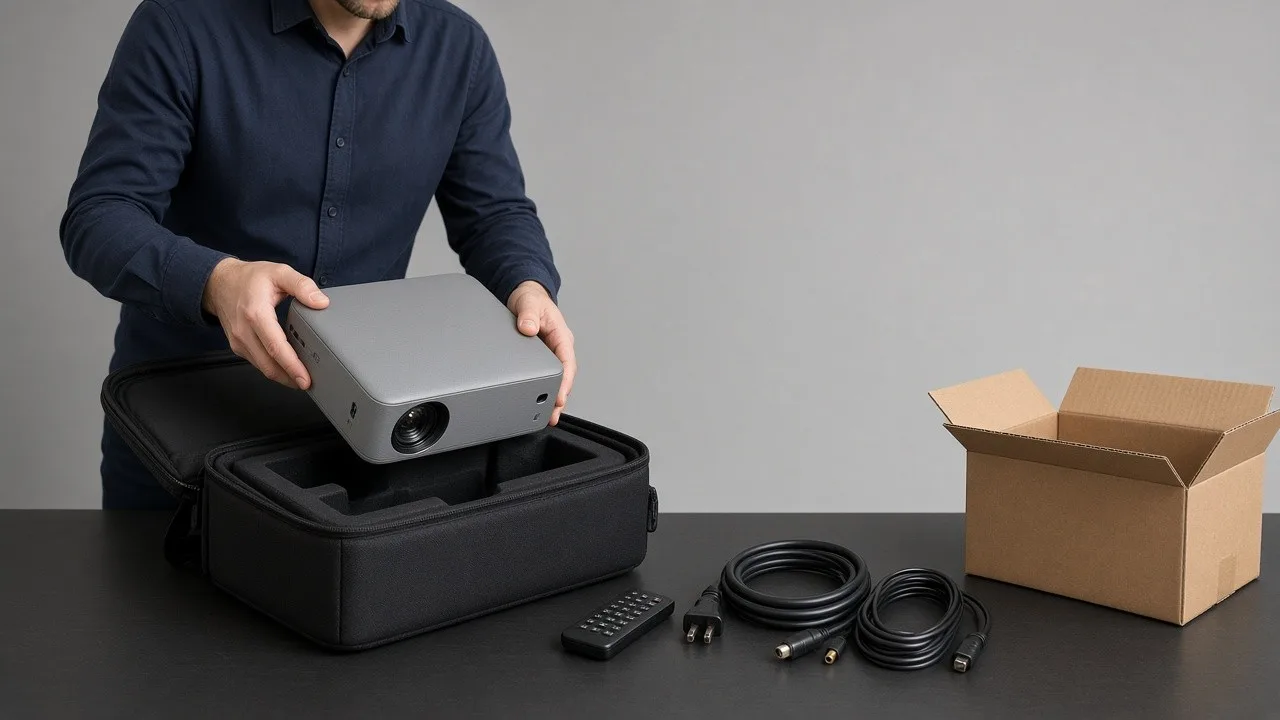
When the box arrives, open it in the room where you'll use the projector if you can. Inside, you'll typically find:
- The projector, often in a padded carrying case
- A power cord
- A video cable, and adapters if requested
- A remote
- A screen, if you rented one
- A prepaid return label or return instructions
Check the contents against the packing list. Keep all packaging, including foam and bags. You'll need it for the return.
Setting up
Most business projectors set up in a few minutes:
- Place the projector on a stable table or cart facing the screen or wall.
- Plug in the power cord.
- Connect your laptop with the video cable.
- Turn on the projector and wait for it to warm up.
- Turn on your laptop and select the projector's input if needed.
- Adjust the zoom, focus and position until the image fills the screen.
If the image looks like a trapezoid, use the projector's keystone correction or raise or lower the projector. Moving the projector is better than heavy correction, which can soften the image.
Testing
Do a full test run, ideally in the same lighting conditions you'll have during the event.
- Run your actual presentation, including any video and audio.
- Check the text is readable from the back row.
- Test the remote.
- Confirm the laptop's display settings. Mirroring is usually simplest.
If you plan to play audio, decide whether you'll use the laptop's speakers, the projector's speaker or a separate sound system. Many projectors have built-in speakers that work for small rooms but not large ones.
Quick troubleshooting
- No image: Check the input source on the projector and the display settings on your laptop.
- Image cut off: Change your laptop's resolution or the projector's aspect setting.
- Blurry image: Adjust the focus ring, and check that the lens is clean.
- Image washed out: Lower the room lights or close blinds near the screen.
- No sound: Check the laptop's audio output setting.
If something isn't working, contact your rental coordinator right away. It's easier to solve a problem a day before the event than an hour before.
During the event
Keep the projector's vents clear so it can cool properly. Tape down cables in walkways. If you turn the projector off between sessions, allow it to cool before unplugging or moving it.
Returning the rental
When you're done:
- Turn off the projector and let it cool completely.
- Pack the projector, cables, remote and screen in the original packaging.
- Attach the prepaid return label.
- Drop off the package or schedule a pickup according to the label's instructions.
Take a photo of the packed box before sealing it, in case you need a record later.
Want help with setup?
Shipped rentals are designed to be simple to set up yourself. If you'd rather have a technician deliver and set up the equipment, delivery and setup is available as an extra-cost add-on in many areas.
Ready to rent?
RentOurProjectors.com rentals ship nationwide with prepaid return labels. Browse our business projectors and portable projectors, then request a quote with your room and event details.